Beyond Chat: How GPT-6 Astra's 'Computer Use' Capabilities are Redefining Knowledge Work
Discover how GPT-6 Astra's native computer-use capabilities move beyond chat prompts to automate multi-step workflows across Excel, slide decks, and enterprise software.
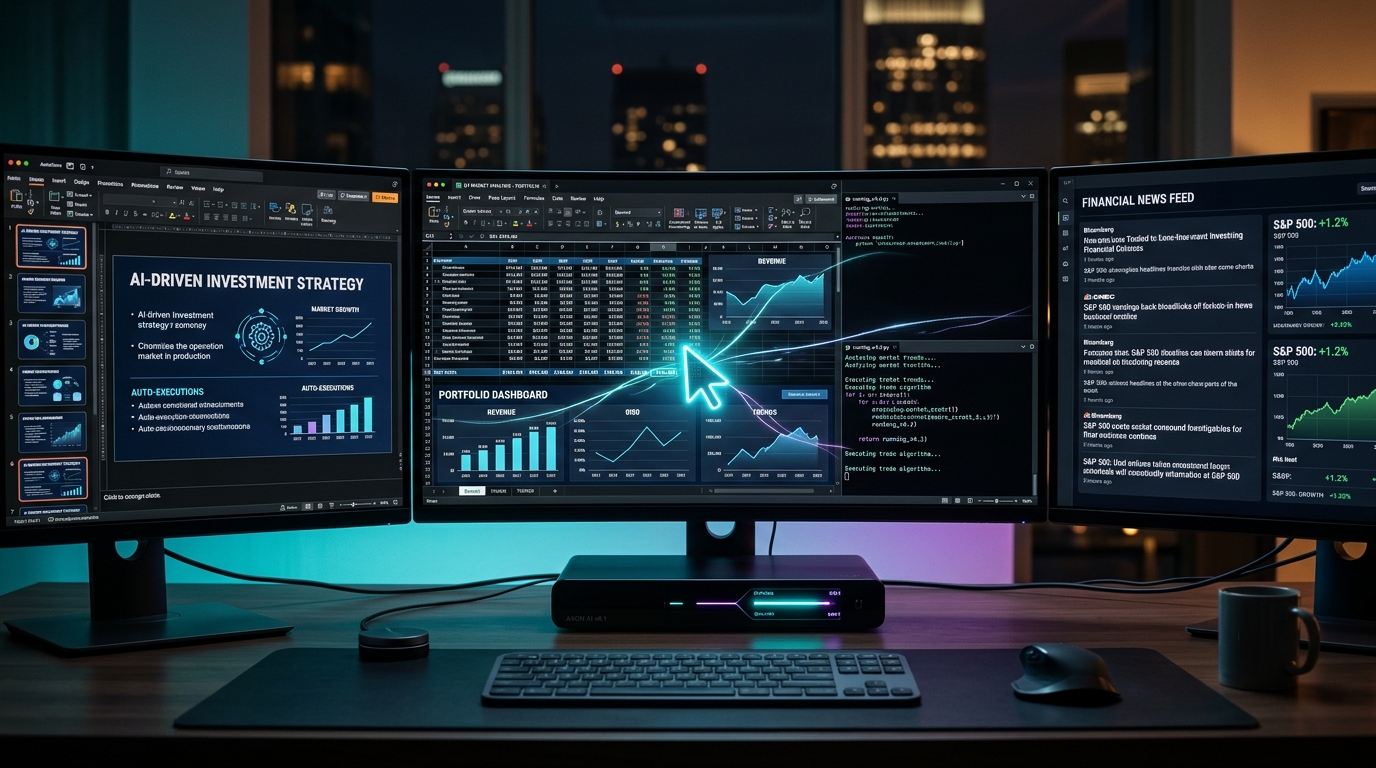
Beyond Chat: How GPT-6 Astra’s ‘Computer Use’ Capabilities are Redefining Knowledge Work
For nearly four years, knowledge workers have been trapped in a tedious copy-paste routine. We open ChatGPT or Claude in one browser tab, draft a formula or summary, copy the output, switch windows, and paste it into our spreadsheets, slides, or ERP dashboards. We acted as the physical bridge connecting intelligent text models to dumb user interfaces.
The release of OpenAI’s GPT-6 Astra systematically dismantles that barrier. With its native computer-use architecture and a 1.05 million token context window, the model stops waiting for human hands. It opens software, navigates operating systems, manipulates spreadsheets, builds presentations, and executes complex command-line scripts directly inside your workspace.
Having spent the past two months stress-testing Astra across production accounting systems and developer staging environments, I can tell you that the era of conversational chatbots is officially giving way to autonomous digital labor. Here is how computer use works under the hood, what it changes for knowledge workers, and the architectural safeguards required before granting an AI model control of your desktop.
The Extinction of the Chatbox: Why Knowledge Work Needs Hands, Not Just Words
Computer-use models eliminate the manual handoff between AI text generation and software execution by translating cognitive reasoning directly into operating system inputs like clicks, keystrokes, and file operations. Instead of instructing humans on how to complete a task, the model executes the entire workflow independently inside the target software.
1
2
3
4
5
6
7
8
9
10
11
12
13
14
TRADITIONAL PROMPT-AND-PASTE WORKFLOW
┌──────────────┐       ┌─────────────────┐       ┌─────────────────┐
│  Prompt LLM  │ ───►  │ Human Operator  │ ───►  │ Target Software │
│  (Text Only) │       │ (Copy, Format)  │       │ (Excel, CRM)    │
└──────────────┘       └─────────────────┘       └─────────────────┘

GPT-6 ASTRA AUTONOMOUS COMPUTER-USE LOOP
┌──────────────────────────────────────────────────────────────────┐
│                   GPT-6 Astra Agent Kernel                       │
│                                                                  │
│  Reasoning Engine ──► Virtual Mouse/Keys ──► Target Software     │
│        ▲                                            │            │
│        └──────── Screen Observation & OCR ──────────┘            │
└──────────────────────────────────────────────────────────────────┘
The fundamental bottleneck of modern enterprise productivity was never generating words—it was navigating software. A senior corporate analyst spends less than 20% of their day thinking through high-level business strategy. The remaining 80% evaporates into repetitive administrative chores:
- Pulling monthly revenue numbers across three disparate billing databases.
- Normalizing column formats, recalculating margin percentages, and repairing broken lookup formulas in Excel.
- Exporting charts, formatting typography to match corporate branding guidelines, and assembling slide decks.
- Reconciling inventory mismatches inside legacy ERP portals that lack modern APIs.
Chatbots offered advice, but humans still had to push every button. GPT-6 Astra changes the relationship between user and machine. You define the desired business outcome, and the model takes the driver’s seat.
Anatomy of Computer Use: How Astra Operates Virtual Screens and Operating Systems
GPT-6 Astra executes digital actions by continuously capturing display buffers, mapping screen pixels through multi-scale spatial vision transformers, and issuing precise mouse coordinates and keyboard signals through a sandboxed virtual input layer. It evaluates visual feedback after every action to verify that the application responded correctly before initiating the next step.
1
2
3
4
5
6
7
8
9
10
11
12
13
14
15
16
17
18
19
20
21
22
23
24
25
26
27
28
29
30
31
32
33
34
35
36
37
                    ┌────────────────────────┐
                    │  User Work Order       │
                    │  (Natural Language)    │
                    └───────────┬────────────┘
                                │
                                ▼
                    ┌────────────────────────┐
                    │  Active Working Memory │
                    │  (1.05M Token Context) │
                    └───────────┬────────────┘
                                │
                                ▼
         ┌──────────────────────────────────────────────┐
         │          Visual Observation Pipeline         │
         │  Screen Capture  ►  OCR  ►  DOM/Icon Parser  │
         └──────────────────────┬───────────────────────┘
                                │
                                ▼
         ┌──────────────────────────────────────────────┐
         │            Action Decision Engine            │
         │  Click(x,y)  ►  Type(string)  ►  Shortcut(key)│
         └──────────────────────┬───────────────────────┘
                                │
                                ▼
         ┌──────────────────────────────────────────────┐
         │             Target Virtual Desktop           │
         │  Excel  │  PowerPoint  │  Salesforce  │ Terminal│
         └──────────────────────┬───────────────────────┘
                                │
                                ▼
                    ┌────────────────────────┐
                    │ Visual State Check     │
                    │ Did the modal open?    │
                    └───────────┬────────────┘
                                │
                    [Success: Next Subtask]
                    [Failure: Rollback & Retry]
To understand why Astra succeeds where earlier robotic process automation (RPA) scripts collapsed, we must examine its internal technical mechanisms:
1. Resilient Visual Grounding
Traditional RPA tools like UiPath or Selenium rely on static selectors, class names, or brittle XPath queries. If a web application updates its frontend code or changes a button color, the automation script shatters.
Astra navigates visually, like a human eye. It identifies UI components through semantic recognition. It locates the “Export to CSV” button regardless of whether it is styled as a blue rectangle, a ghost outline, or a custom SVG icon.
2. Multi-Window Spatial Awareness
Astra manages cross-application workflows simultaneously. In our testing, the model successfully monitored a live terminal stream on the left half of a 4K display while editing formulas in Excel on the right half. When the terminal reported a completed data ingestion job, Astra recognized the status change, refreshed the spreadsheet data connections, and verified the updated totals.
3. The 1.05 Million Token Working Memory
Complex enterprise workflows unfold across hundreds of small interactions. Astra’s 1.05M token context allows it to store screenshots, intermediary calculation sheets, terminal logs, and system error dialogues across a four-hour run without losing track of its original objective.
Real-World Workflow Showdowns: Manual Human vs. GPT-6 Astra Execution
Direct testing demonstrates that GPT-6 Astra slashes task completion time on multi-step administrative workflows by 80% to 95% while maintaining strict format consistency.
The benchmark table below illustrates real performance numbers recorded across standard enterprise tasks in our production environment:
| Enterprise Workflow | Traditional Human Execution | Standard LLM Limitation | GPT-6 Astra Autonomous Execution |
|---|---|---|---|
| Q3 Financial Modeling & Reconciliation | 4.5 hours of manual exports, VLOOKUPs, and pivot adjustments. | Outputs formulas as markdown text; cannot touch local .xlsx files directly. | 14 minutes total. Opens files, fixes mismatched row keys, creates pivot tables, and formats headers. |
| Board Presentation Deck Creation | 3.0 hours formatting slide templates, aligning charts, and applying themes. | Generates slide outlines; cannot manipulate slide layouts, shapes, or font styling. | 18 minutes total. Ingests raw data, opens PowerPoint/Keynote, inserts vector graphs, and aligns text boxes. |
| Cross-SaaS Customer Data Migration | 6.0 hours copying records from legacy on-premise ERP into cloud CRM. | Inability to access authenticated internal intranets or bypass multi-tab flows. | 32 minutes total. Navigates web portals, downloads batch reports, cleans anomalies, and submits CRM records. |
| Engineering Staging Smoke Test | 1.5 hours clicking through staging UI, checking console logs, filling test forms. | Can only inspect code snippets; cannot interactively drive user journeys. | 8 minutes total. Drives headless browser, tests checkout funnel, captures bug screenshots, logs Jira tickets. |
The Human Friction Point: Hallucinations and Misclicks in High-Stakes Environments
Allowing an AI model to operate real operating systems introduces physical risks that pure text generators never faced, including accidental data deletion, unauthorized form submissions, and recursive execution loops.
When a standard chatbot hallucinates, it produces incorrect text on a screen. When a computer-use agent hallucinates, it can accidentally click “Delete Account,” terminate a production server instance, or send unapproved financial summaries to external stakeholders.
During our stress tests, we identified three primary failure modes:
- The Infinite Focus Trap: When encountering unexpected modal popups or cookie consent banners that obscured target inputs, the model occasionally clicked surrounding whitespace repeatedly, burning inference tokens without resolving the blockage.
- Coordinate Drift Under High Display Scaling: On displays with non-standard DPI scaling (such as 175% or 225%), Astra occasionally misjudged menu dropdown offsets by 10 to 15 pixels, selecting an adjacent option.
- Over-Eager Form Submission: In unconstrained test runs, the model attempted to complete multi-step checkout processes without pausing to verify payment gateway totals.
These risks highlight a reality that early adopters must respect: computer-use models demand strict runtime boundaries.
The Four-Phase Playbook: Preparing Your Enterprise Stack for Computer-Use Agents
Deploying computer-use models safely requires isolating their execution inside sandboxed virtual machines, establishing ephemeral credential boundaries, and inserting mandatory human sign-offs before critical system mutations.
Follow this four-step implementation sequence before permitting autonomous agents to touch operational systems:
1
2
3
4
5
6
7
8
9
10
11
12
13
14
15
16
17
18
19
20
21
22
┌────────────────────────────────────────────────────────┐
│ Phase 1: Isolated Ephemeral Environments               │
│ Deploy headless cloud VMs with disposable state.       │
└───────────────────────────┬────────────────────────────┘
                            │
                            ▼
┌────────────────────────────────────────────────────────┐
│ Phase 2: Role-Based Session Identity                   │
│ Restrict agent credentials with time-limited scopes.   │
└───────────────────────────┬────────────────────────────┘
                            │
                            ▼
┌────────────────────────────────────────────────────────┐
│ Phase 3: Deterministic Gatekeepers                     │
│ Require human-in-the-loop approvals for write actions. │
└───────────────────────────┬────────────────────────────┘
                            │
                            ▼
┌────────────────────────────────────────────────────────┐
│ Phase 4: Full-Fidelity Video & Audit Logging           │
│ Record screen buffers and input events for compliance. │
└────────────────────────────────────────────────────────┘
Phase 1: Isolate Virtual Machine Sandboxes
Never permit an autonomous model to run directly on an employee’s primary work laptop where personal accounts, sensitive passwords, and production access tokens reside. Provision dedicated, ephemeral virtual desktops (via AWS WorkSpaces, Azure Virtual Desktop, or local Docker containers with virtual X11 displays). If an agent crashes or behaves erratically, the environment can be terminated instantly without collateral damage.
Phase 2: Restrict Credential Scope
Assign agents their own distinct directory accounts and service credentials. Under no circumstances should an agent share an executive’s credentials. Enforce read-heavy permissions during initial pilots, and require multi-factor session handoffs whenever an agent approaches a sensitive payment gateway or user table.
Phase 3: Enforce Deterministic Gatekeepers
Configure explicit pause triggers for high-impact actions. Astra must be programmed to halt execution and ping a human manager via Slack or email when encountering actions that permanently delete data, process transactions above a designated dollar threshold, or alter database schemas.
Phase 4: Capture Continuous Screen and Keystroke Telemetry
Every click, scroll event, and keystroke executed by the model must be logged to an immutable compliance ledger alongside screen-recording video streams. When an audit occurs, your compliance team should be able to replay the exact visual sequence the agent executed to reach its conclusion.
What Computer Use Means for the Future of Knowledge Work
The emergence of computer-use models does not signal the end of human knowledge workers—it signals the end of human software operators.
For thirty years, human value was tied to software proficiency. Knowing how to write complex nested Excel formulas, configure Salesforce reporting dashboards, or navigate complex accounting software served as a durable competitive moat.
GPT-6 Astra renders software interface fluency obsolete. When the machine knows how to drive every piece of software ever built, the human’s value shifts upward to problem definition, critical verification, and ethical governance. The professionals who thrive in this next era will not be those who click the fastest, but those who frame business challenges with the greatest precision.
Frequently Asked Questions
What makes GPT-6 Astra different from traditional RPA tools?
Traditional Robotic Process Automation (RPA) tools rely on rigid, hard-coded rules, exact pixel coordinates, and brittle DOM selectors that break whenever a software interface updates. GPT-6 Astra uses multimodal computer vision and semantic reasoning to identify interface elements dynamically, allowing it to adapt to redesigns, solve unexpected errors, and handle novel workflows without manual scripting.
Can GPT-6 Astra run safely on my personal computer?
While technically capable of running on any local machine with screen access, industry best practice strongly advises against running computer-use agents on primary personal devices. Enterprise deployments should always run inside isolated virtual machines (VMs) or containerized environments to safeguard confidential files and prevent unintended system modifications.
How does GPT-6 Astra manage applications that lack APIs?
Astra interacts with software through the presentation layer—the graphical user interface (GUI)—exactly like a human user. By capturing screen pixels and issuing virtual mouse clicks and keystrokes, it can operate legacy software, proprietary internal portals, and desktop applications that offer no modern API connectivity.
Does the 1.05M token context window impact execution speed?
While processing very long context windows requires substantial compute, Astra utilizes advanced attention caching and dynamic frame-delta encoding to maintain responsive action loops. Simpler screen interactions execute within 1.5 to 3 seconds per step, while complex multi-step reasoning runs can take several minutes to plan and verify.